Preventi Events Plugin — Full Event Management System
A fully custom WordPress event management plugin built for an AI-powered event platform — with per-field visibility controls, smart time-based filtering, Elementor integration, and four shortcode display modes.
Project Overview & Client Challenges
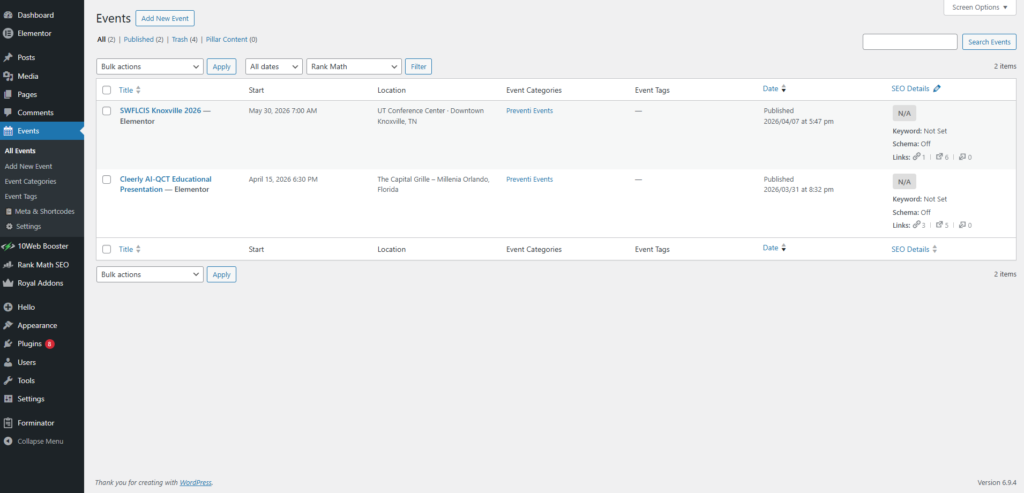
Preventi.ai needed a custom WordPress solution to manage events with complete control over every event detail, including location, organiser information, seat counts, booking links, event categories, and front-end visibility.
Existing event management plugins were either too bloated, difficult to customize, or not compatible with the client’s Elementor-based design workflow. They also could not support the exact field structure, time-based filtering, and front-end display logic required for the platform.
The client needed a lightweight but powerful event management system that could work smoothly with Elementor while giving their team full control over how each event appears on the website.
Provided Solutions
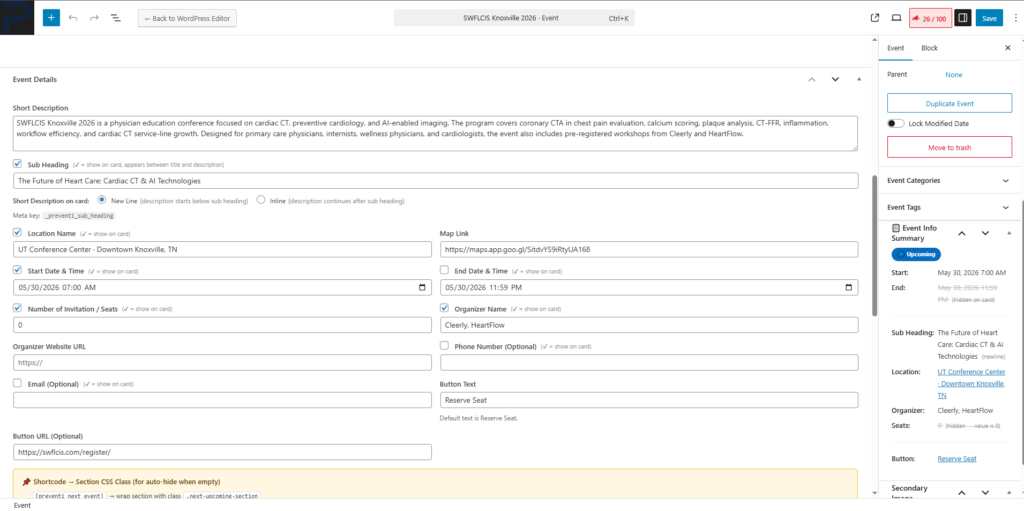
I built a purpose-built WordPress event management plugin from scratch with a custom Events post type and 14+ custom meta fields for detailed event information.
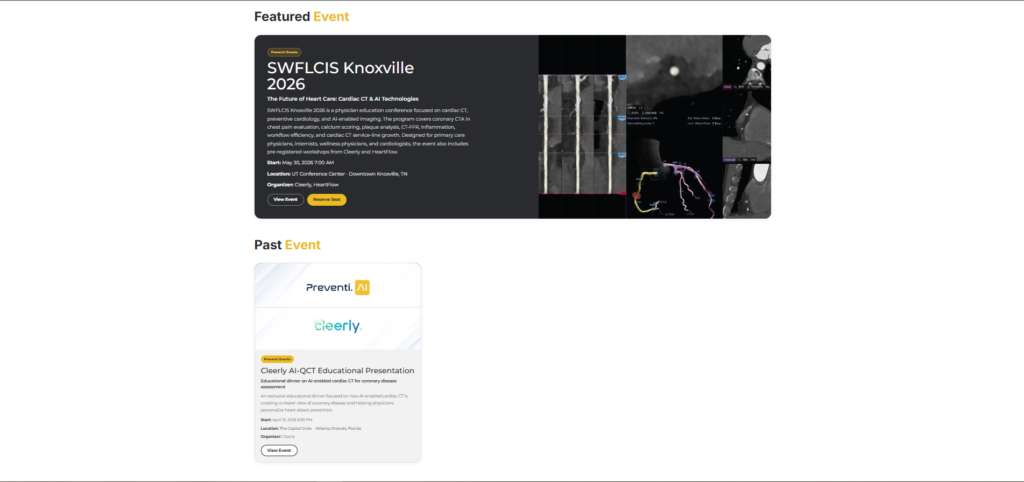
Each important field includes its own visibility toggle, allowing the admin team to decide exactly what appears on the front end for every event. I also developed four shortcode display modes to handle all event listing scenarios: next event only, full upcoming events grid, currently ongoing events, and past events.
Single event pages were made fully Elementor-compatible, so the design team could create and customize layouts freely using Elementor. To improve admin usability, I added a live Event Info Summary sidebar that shows the event’s current time status and field visibility states at a glance.
Results and Impact
The final plugin gave Preventi.ai a clean, flexible, and fully custom event management system inside WordPress.
It removed the limitations of third-party event plugins, improved compatibility with the client’s Elementor workflow, and gave the team precise control over event data and front-end display logic. Events can now be managed, filtered, displayed, and customized without relying on bulky external plugins or developer intervention for routine updates.
Tech Stack Used
- WordPress
- Custom Post Type API
- Custom CSS
- PHP
- JavaScript
- Elementor Integration
- WordPress Shortcode API
- Custom Taxonomies
- WP Meta API